!["CCTV installation in [kochi/ernakulam]"](https://static.wixstatic.com/media/a1bdf6_161b9a05e3144d53a6e393b8606d98e6~mv2.jpg/v1/fill/w_49,h_50,al_c,q_80,usm_0.66_1.00_0.01,enc_avif,quality_auto/a1bdf6_161b9a05e3144d53a6e393b8606d98e6~mv2.jpg)
Step-by-Step CCTV Camera Setup Guide

Installing a CCTV camera system can feel like a big task, but it doesn’t have to be complicated. Whether you want to keep an eye on your home or business, a well-installed CCTV system offers peace of mind and security. I’m here to walk you through the entire process, step by step, so you can confidently set up your own surveillance system.
Let’s dive into the essentials of CCTV camera setup, from planning to final testing. By the end, you’ll know exactly how to install your cameras for the best coverage and performance.
Planning Your CCTV Camera Setup
Before you start drilling holes or running wires, planning is key. Think about what areas you want to monitor. Are you focusing on entrances, driveways, or common areas? For businesses, consider points of sale, storage rooms, and parking lots.
Here are some tips to help you plan:
Identify vulnerable spots: Look for places where theft or vandalism could happen.
Consider lighting: Cameras work best with good lighting. If an area is dark, you might need infrared or night vision cameras.
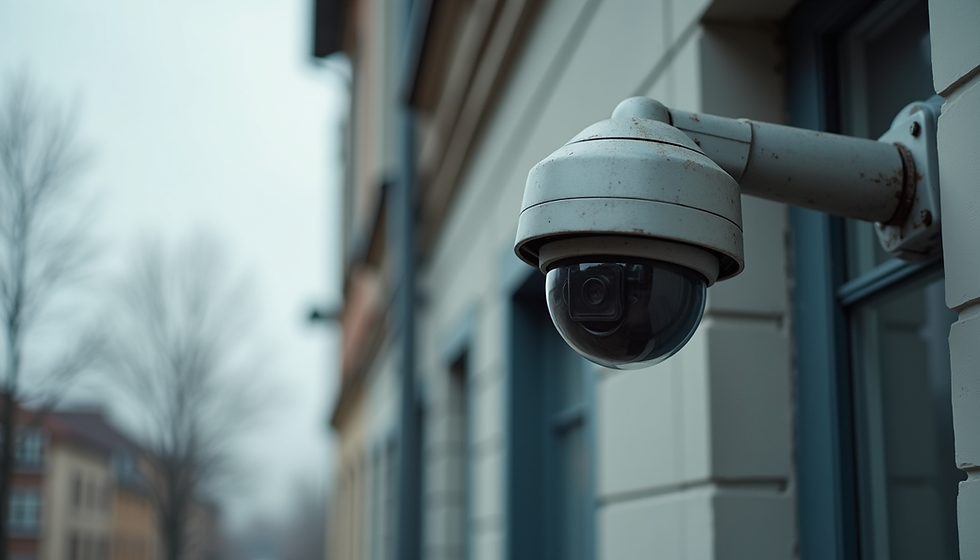
Decide on camera types: Dome cameras are great for indoor use, while bullet cameras work well outdoors.
Check your internet connection: For IP cameras, a strong Wi-Fi or wired network is essential.
Map your camera locations: Draw a simple layout of your property and mark where each camera will go.
Planning saves time and money. It also ensures your cameras cover all critical areas without blind spots.

How to Do a CCTV Camera Setup: Step-by-Step
Now that you have a plan, let’s get into the actual setup. Follow these steps carefully:
1. Gather Your Tools and Equipment
Make sure you have everything ready before you start:
CCTV cameras (wired or wireless)
DVR or NVR (Digital or Network Video Recorder)
Power supply and cables (Ethernet, coaxial, or power adapters)
Drill and screws
Cable clips or conduits
Monitor or smartphone for viewing footage
Ladder (if installing cameras high up)
2. Mount the Cameras
Start by mounting the cameras in the planned locations. Use a drill to make holes for screws and cables. Make sure the cameras are secure and angled to cover the desired area.
For outdoor cameras, mount them under eaves or sheltered spots to protect from weather.
Avoid pointing cameras directly at bright lights or reflective surfaces.
Adjust the camera angle to cover entrances, windows, or other sensitive areas.
3. Run the Cables
If you have wired cameras, you’ll need to run cables from each camera to the DVR or NVR. Keep cables neat and secure them with clips or conduits to avoid damage.
For IP cameras, use Ethernet cables (Cat5e or Cat6).
For analog cameras, use coaxial cables.
Power cables should be connected to a reliable power source.
4. Connect Cameras to the Recorder
Plug the camera cables into the DVR or NVR. This device records and stores your footage. Follow the manufacturer’s instructions for connecting and powering the recorder.
5. Configure the System
Turn on the system and connect the recorder to a monitor or your smartphone. Set up the software to view live footage and recordings.
Adjust camera settings like resolution, motion detection, and recording schedules.
Set up alerts if your system supports notifications.
6. Test Your Cameras
Walk around the monitored areas and check each camera’s view. Make sure there are no blind spots and the image quality is clear.
Adjust angles if needed.
Check night vision functionality in low light.
By following these steps, you’ll have a fully functional CCTV system tailored to your property’s needs.

How Much Does It Cost to Install a CCTV?
Understanding the cost of CCTV installation helps you budget properly. Prices vary depending on the number of cameras, type of system, and installation complexity.
Here’s a rough breakdown:
Basic camera: $50 - $150 each
DVR/NVR system: $100 - $500
Cabling and accessories: $50 - $200
Professional installation: $100 - $300 per camera (optional)
For a small home setup with 4 cameras, expect to spend between $400 and $1,200 if you do it yourself. Hiring professionals will increase the cost but ensures expert setup and warranty.
Keep in mind, investing in quality equipment and proper installation pays off in reliable security and fewer maintenance issues.
Tips for Maintaining Your CCTV System
Once your CCTV system is up and running, maintenance is important to keep it working smoothly.
Clean camera lenses regularly to avoid blurry images.
Check cables and connections for wear or damage.
Update software and firmware to improve security and features.
Test cameras periodically to ensure they record properly.
Backup footage regularly if your system doesn’t do it automatically.
Regular maintenance extends the life of your system and keeps your property secure.
Why Professional Help Can Make a Difference
While DIY installation is possible, sometimes professional help is worth considering. Experts can:
Recommend the best camera types and placements for your property.
Handle complex wiring and network setup.
Ensure your system integrates with other smart home or business security devices.
Provide ongoing support and troubleshooting.
If you want a hassle-free experience and guaranteed results, professional cctv camera installation services are a smart choice.
Enhancing Security Beyond Cameras
CCTV cameras are just one part of a complete security solution. Consider adding:
Smart locks and alarms for controlled access.
Motion sensors and lighting to deter intruders.
Remote monitoring apps for real-time alerts.
Security signage to warn potential trespassers.
Combining these tools creates a safer environment for your home or business.
Installing a CCTV system is a practical step toward protecting your property. With careful planning, the right tools, and some patience, you can set up a reliable surveillance system that meets your needs. Whether you choose to do it yourself or seek professional help, security is always worth the effort.


Comments